
Discreet · Professional · Proven
DMCA & IP Enforcement Across Every Platform
YouTube, TikTok, Discord, Reddit, eBay, Shopify, Google, Cloudflare, and more — we handle the full dispute process with dedicated specialists and a money-back guarantee.
Money-back guaranteed — if we can't resolve your case, you don't pay.
Turnaround
24 hours
Success rate
100%
Recently completed
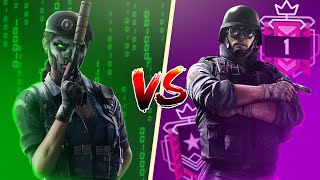
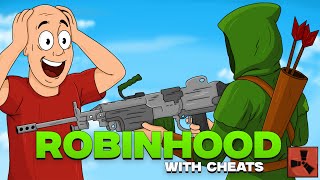
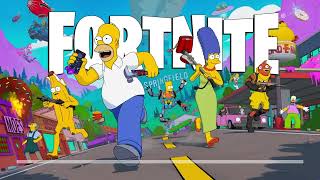
Real cases with proof links — click a card to watch the restored video.




Week-long brand IP protection — special pricing
This offer ended on Wednesday, 24 June 2026 at midnight.
Protect your brand across platforms with a dedicated week of monitoring and enforcement. Choose full multi-platform coverage or YouTube-only protection.
This offer ended on Wednesday, 24 June 2026 at midnight.
Services
Three services. Every platform. One goal — your content resolved.
Strike removal, restrictions, and takedowns across every supported platform. Hover to pause.
Premium tier
24-Hour Strike Removal
Our fastest option. No account access required — enforcement lifted within 24 hours on any supported platform.
- Dedicated specialist on every case
- No platform login needed
- Money-back guarantee
- Under-24h tier — unique to ClearClaim
Standard tier
Counter-Notification
We guide you through filing. Claims resolved in ~10 business days across YouTube, TikTok, Shopify, and more.
- Minimal cooperation only
- We never ask for your password
- Full refund if unsuccessful
- Step-by-step specialist support
All platforms
Copyright Restriction Removal
Content demonetised, region-blocked, or muted? We lift the restriction without a full strike removal process.
- 1,000+ restrictions removed
- 100% success rate across 4 months
- No account login required
- Fast turnaround
- Money-back guarantee
Takedowns
Infringing Content Takedowns
Someone using your work without permission? We file the appropriate copyright claim or takedown notice on your behalf.
- 500+ successful claims filed
- Proof of ownership handled with you
- Two-minute new-case intake
- Dedicated specialist per case
- Full refund if unsuccessful
Track record
Why ClearClaim?
Verified results, transparent cases, and 100+ reviews from reputable sellers across every genre.
- 500+ copyright strike claims sent
- 1,000+ restrictions removed
- 100% success rate — 4 months running
- 100+ verified seller reviews
- Live receipts at /active-cases
Premium tier
24-Hour Strike Removal
Our fastest option. No account access required — enforcement lifted within 24 hours on any supported platform.
- Dedicated specialist on every case
- No platform login needed
- Money-back guarantee
- Under-24h tier — unique to ClearClaim
Standard tier
Counter-Notification
We guide you through filing. Claims resolved in ~10 business days across YouTube, TikTok, Shopify, and more.
- Minimal cooperation only
- We never ask for your password
- Full refund if unsuccessful
- Step-by-step specialist support
All platforms
Copyright Restriction Removal
Content demonetised, region-blocked, or muted? We lift the restriction without a full strike removal process.
- 1,000+ restrictions removed
- 100% success rate across 4 months
- No account login required
- Fast turnaround
- Money-back guarantee
Takedowns
Infringing Content Takedowns
Someone using your work without permission? We file the appropriate copyright claim or takedown notice on your behalf.
- 500+ successful claims filed
- Proof of ownership handled with you
- Two-minute new-case intake
- Dedicated specialist per case
- Full refund if unsuccessful
Track record
Why ClearClaim?
Verified results, transparent cases, and 100+ reviews from reputable sellers across every genre.
- 500+ copyright strike claims sent
- 1,000+ restrictions removed
- 100% success rate — 4 months running
- 100+ verified seller reviews
- Live receipts at /active-cases
Case journey
From strike to resolution.
Cases branch by type — every path from intake to closure, left to right.
Why us
Built differently from every other removal & reinstatement service.
500+
Copyright strike claims successfully sent
1,000+
Copyright restrictions removed across all platforms
100%
Success rate — perfect track record for 4 months
100+
Verified reviews from reputable sellers across all genres
- ✓ Perfect 4-month track record
- ★ Trusted by 100+ verified sellers
- ↗ Results visible /active-cases
| Typical competitor | ClearClaim | |
|---|---|---|
| Platforms covered | 1–2 platforms, usually YouTube only | YouTube, TikTok, Discord, Reddit, eBay, Shopify, Cloudflare & more |
| Turnaround time | Up to 10 business days | 24 hours standard. Under-24h tier available. |
| Success rate | ~70% — rarely disclosed | 100% overall — receipts viewable on /active-cases |
| Account access required | Manager or owner access — every time | Removal tier: none. Counter-notification tier: minimal cooperation only. |
| Track record | No verifiable history | 4 months, zero failed cases. 100+ reviews from verified sellers across multiple genres. |
| Service uptime | No transparency | Public uptime dashboard — 94–100% across all platforms |
| Support | Generic ticket forms | @clearclaim + dedicated in-portal specialist on every case |
Get in touch
Reach us before or after your case.
Have a question before purchasing? Want to check if your platform is covered? Message us directly — we respond fast on both channels.
Telegram
Message us on Telegram
Fastest way to reach a specialist. Ask questions before buying, get case updates, or request a refund — all in one place.
Discord
Join our Discord server
Join the community, browse case updates, read verified reviews, and message our agent directly for any enquiries.
FAQ
Frequently asked questions
General
Copyright strikes
Copyright restrictions
Takedowns
Payment & refunds
Support
Ready to get your content back?
Open a case in two minutes. We'll review it, invoice you, and start working — most cases are resolved within a day.